News / Events

November 18, 2011:
MyPoint exceeds 100,000 downloads


October 31, 2011:
MyPoint Connector 2.0.1 for Mac OSX released


October 7, 2011:
MyPoint Connector 2.0.1 for Windows released


October, 4, 2011:
MyPoint 2.0.1 released: Fixed a crash when used on iOS 3.1.3


September 25, 2011:
MyPoint Connector 2.0 and
MyPoint 2.0 are released


July 19, 2011:
MyPoint_Connector 1.2.2 Mac OS X Lion tested


January 15, 2011:
MyPoint_Connector 1.2.2 is released, including support for PowerPoint 2011 on Mac OSX


January 14, 2011:
A new version of MyPoint PowerPoint Remote (1.3.2) is released, now with Retina display support


Downloads

MyPoint on the AppStore for iPhone, iPod, iPad:

MyPoint PowerPoint Remote


You also need to install MyPoint Connector on your PC / Mac:

Download MyPoint_Connector


MyPoint


PowerPoint Remote


Use your iPhone / iPod / iPad to remote control PowerPoint presentations on your PC / Mac.


User reviews:

"FANTASTIC app! - ***** - Just wow. ..."

"The best presentation app by far..... - *****"

"Great product! - **** - Amazing what it can do..."

"Awesome! - ***** - Expose your PowerPoint presentations like a real pro! ..."

More details on the AppStore:


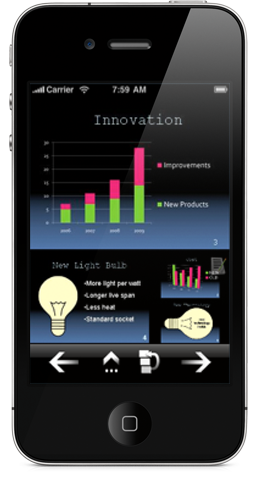
MyPoint is free, offering features like slide browser, display of current slide, notes, and preview of next slides.

Extended features (marker and timer) available via In App purchase.


MyPoint PowerPoint Remote significantly improves the experience of a presentation for both the speaker and the audience:

  • The presenter and audience can face each other. The presenter doesn't need to turn around any more to see what slide is currently shown - a glimpse on his iPhone is sufficient.
  • The presenter has more choices on where to stand or move during the presentation, since he doesn't need the PC / laptop any more to trigger the transition to the next slide.
  • Important comments or notes on a slide won't be forgotten - the notes for the actual slide are visible to the speaker.
  • Smooth transitions to the next slide - the presenter can take a look at the preview of the next slides and knows already what comes next before the slide is shown.
  • Requests from the audience to go back to a certain slide can be fulfilled in an instant - the presenter can flip through the slides and pick the one that is requested.


Follow didonaicom on Twitter
More Info Videos Facebook Twitter